Skip to content

Reptile house

Normal
  1. 2:00 PM

    One afternoon in the reptile house

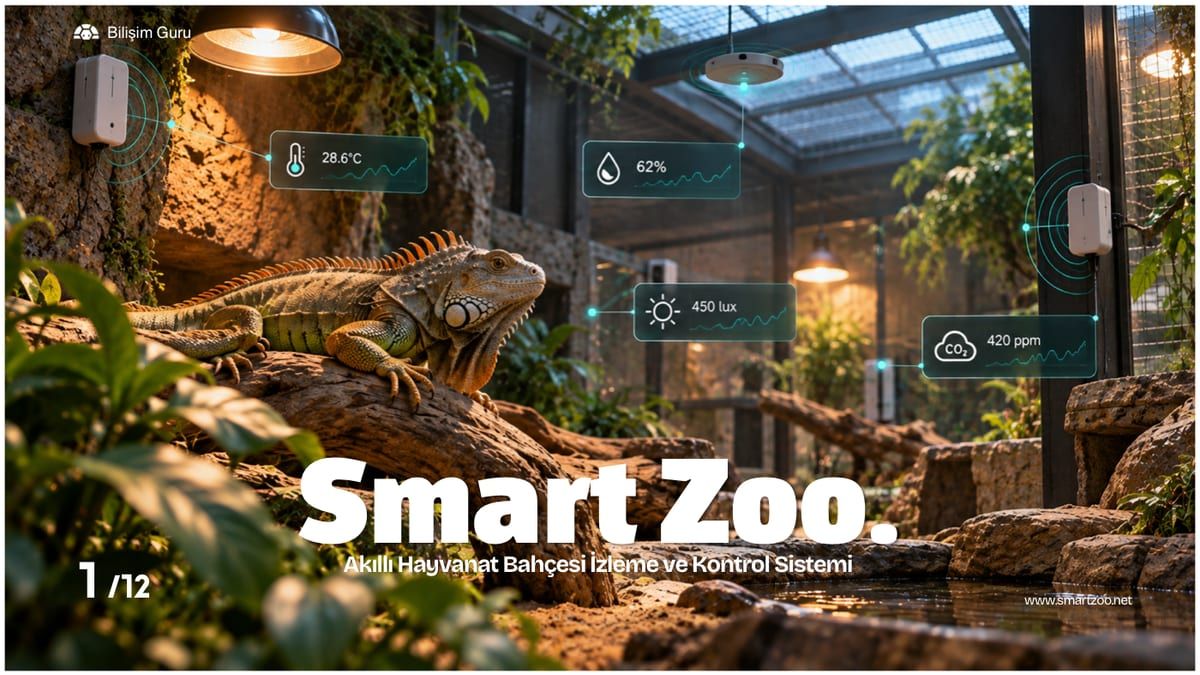
    The reptile house sits at 34 °C, inside its set range. Smart Zoo takes a reading every minute. Scroll to follow a heat event from start to finish.

    Skip the story
  2. 2:05 PM

    The temperature starts to climb

    Midday sun is heating the glass roof. The sensor records a 4-degree rise in five minutes; at 38.6 °C the reading is closing in on the upper limit.

  3. 2:06 PM

    Limit crossed, alarm raised

    The reading is 40.1 °C against a 39 °C upper limit. The sensor sends the alarm to two places at once: the control module in the electrical panel and the Smart Zoo cloud. The event is logged with a time stamp.

  4. 2:06 PM

    The right people know within seconds

    The cloud sends an SMS and an app notification to the on-duty keeper and the veterinarian in charge within seconds, showing the space, the reading and the limit.

  5. 2:06 PM

    The alarm rule switches on ventilation

    The control module applies the rule set for this sensor and closes the ventilation relay. The fans start without anyone going on site, and the cloud confirms it on the phone.

  6. 2:16 PM

    Back to normal, fans off

    The sensor keeps measuring. Once the reading drops below 35 °C it signals the panel and the cloud again: the control module switches the fans off and a final notification goes out. The gap between the two limits keeps the fans from cycling on and off.

  7. 2:18 PM

    Event closed, record ready

    Every step is time-stamped in the event history and appears in the monthly alarm report.

    Duration
    10 min
    Peak reading
    40.6 °C
    Notifications sent
    3
    On-site intervention
    Not needed
    Explore the system

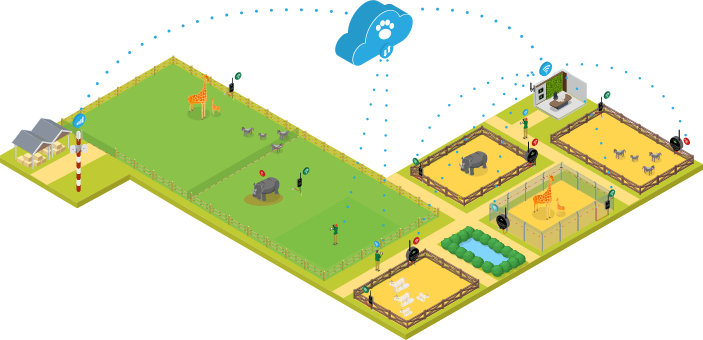
Every living space in your zoo, on one screen.

Smart Zoo collects temperature, humidity, light and CO2 readings from your living spaces in real time. When a value crosses its limit, it tells the right person and switches on devices such as fans and HVAC by itself.

  • Sensor data
  • Alarm
  • Tap to see a component

Five steps from reading to action

A value read by a sensor reaches the panel, a phone and, when needed, a device within seconds.

  1. 1

    Measure

    A sensor in the living space reads temperature, humidity, light and CO2 at regular intervals.

  2. 2

    Transmit

    The reading travels wirelessly through the gateway to the central platform.

  3. 3

    Evaluate

    The platform compares every value with the lower and upper limits you set for that space.

  4. 4

    Notify

    When a limit is crossed, authorized people receive an SMS and an app notification.

  5. 5

    Act

    The fan, HVAC or ventilation tied to the rule switches on by itself.

What we measure

You set your own limits and rules for every parameter. The ones below are examples.

  • Temperature°C

    Example rule

    If the reptile house goes above 39 °C, the fan switches on and the keeper gets an SMS.

  • Humidity%

    Example rule

    If humidity in the tropical area drops below 50%, the person in charge is notified.

  • Lightlux

    Example rule

    Light levels in the bird area are recorded throughout the day and included in reports.

  • CO2ppm

    Example rule

    If CO2 in an indoor space exceeds 1000 ppm, ventilation switches on.

From manual checks to automation

Smart Zoo takes rounds and note-taking off your keepers' plates, and takes the first step for the team when it matters.

Readings
Today: A keeper reads the thermometer on site and writes it down.
With Smart Zoo: Sensors measure and the panel shows values in real time.
Critical situations
Today: Staff step in manually once someone notices.
With Smart Zoo: The fan or HVAC switches on by itself when a limit is crossed.
Getting notified
Today: A problem is only seen on the next round.
With Smart Zoo: Authorized people get an SMS and app notification instantly.
Historical data
Today: Scattered across paper records.
With Smart Zoo: A few clicks away in charts and reports.
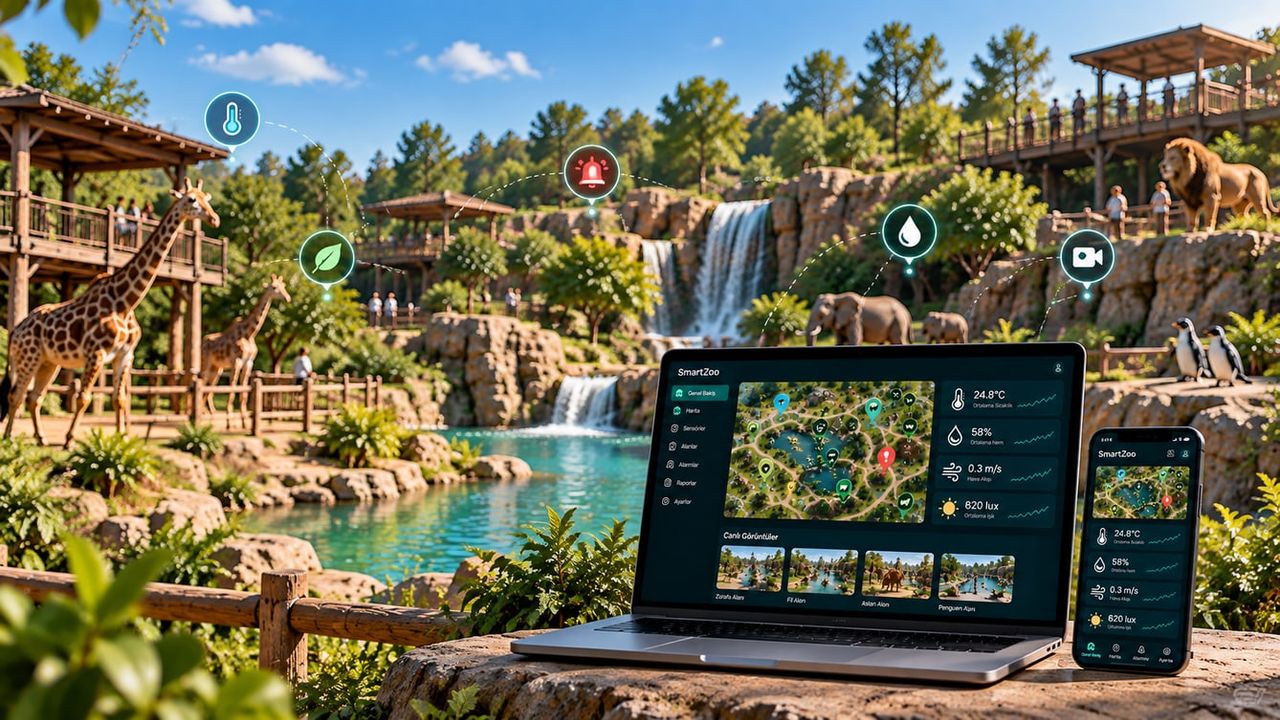
The Smart Zoo panel with a map of living spaces on a laptop, and the mobile app on a phone

Panel and mobile app

Watch every living space from one screen, and get the same information on your phone when you are on site.

  • Area-based monitoring

    The latest readings and status of each living space appear on the map.

  • Alarm history

    Every alarm is logged with when it fired and which value triggered it.

  • Ready-made reports

    Monthly environmental, alarm and area comparison reports in one click.

The Smart Zoo presentation

The 12-page presentation covers the system's components, panel screens and installation examples.

Go to documents

Let's plan a setup for your living spaces

Tell us how many spaces you want to monitor and which devices you want to control, and we will work out the right setup together.